
SEO Tools in 2026: Overview, Problems & Solutions
Discover the top SEO tools for 2026 with this comprehensive guide. Learn how to pick the right tool for your needs, avoid common mistakes, and understand the pros and cons of all-in-one vs. specialized SEO platforms. Actionable advice for beginners to pros.
SEO Tools in 2026: Overview, Problems & Solutions
The SEO tool landscape in 2026 is massive—over 450 options, each promising to boost your search visibility. Most marketers feel overwhelmed, not empowered. The right tool can help you dominate SERPs, but picking the wrong one wastes time, budget, and momentum. This guide cuts through the noise: what works, what doesn’t, and how to avoid common pitfalls.
Let’s be real: searching for “the best SEO tools” in 2026 is like walking into a hardware store with 450+ gadgets and no labels. There are all-in-one SEO platforms, keyword research tools, rank trackers, technical SEO audit tools, and AI-powered content optimizers—each with a different job. Some, like Semrush or Ahrefs, bundle everything; others, like Google Keyword Planner or Search Console, focus on a single task. If you’re just starting, even free tools from Google can get you ranking fast (see Google Search Console). But as your needs grow, so does the complexity.
Common mistakes we see (and have made ourselves):
Buying a big all-in-one suite when you only need keyword research or rank tracking.
Ignoring technical SEO audit tools, then wondering why Google isn’t indexing your content.
Chasing “shiny” AI-powered features that sound cool but don’t move the needle for your actual business goals.
Not matching tool complexity to your team’s skill level—leading to unused subscriptions or, worse, bad data.
Overlooking the basics: Google’s own free tools often outperform paid options for early-stage sites.
If–then logic for tool selection:
If you’re solo or new to SEO, start with Google’s free suite. Only upgrade when you hit a wall.
If you manage multiple domains or need deep competitor analysis, all-in-one platforms like Semrush are worth the price—if your team will actually use the features.
If your core bottleneck is technical SEO, prioritize audit tools that flag crawl errors, page speed, and structured data issues.
If content optimization is your main play, look for AI-powered content optimizers that analyze top-ranking pages for semantic relevance and content length (but don’t expect magic—strategy still matters).
What this guide will (and won’t) do: We’ll break down the real-world pros, cons, and limitations of the top SEO tools—no sales talk, just practitioner experience. You’ll get actionable decision points for your situation, plus links to deep-dives like our Keyword Gap Analysis guide. What we won’t do: recommend tools we don’t use, or pretend there’s a “one-size-fits-all” answer. If you want hype, look elsewhere. If you want clarity, you’re in the right place.
How SEO Tools Work: The Core Functions Explained
If you’ve ever stared at a dashboard full of SEO tools and wondered, “What does all this actually do for me?”—you’re not alone. Here’s the short version: every SEO tool falls into a handful of core categories, each built for specific jobs. Use the right one at the right time, and you’ll save hours (and headaches). Use the wrong one, and you’ll waste budget or miss critical insights.
The Five Core Categories of SEO Tools
Let’s break down what each category is for, what it isn’t for, and how to pick the right one for your workflow.
All-in-One SEO Platforms
Swiss Army knife for SEO—covers most needs, but can be overkill for small tasks.
What they do: Combine keyword research, rank tracking, backlink analysis, site auditing, and content optimization in one place. Think Semrush or Ahrefs.
Best for: Agencies, in-house teams, or anyone managing multiple sites or complex campaigns.
When to use: If you need a single dashboard for everything—traffic analytics, competitor analysis, link building, and technical SEO.
Downsides: Expensive. Can be overwhelming for beginners. Some features are shallow compared to dedicated tools.
If–Then:
If you’re running a multi-domain content strategy, use an all-in-one.
If you only need to research keywords for a single blog, skip it.
Common mistake: Paying for a full suite when you only use 10% of its features. If you’re not running audits, link campaigns, and content planning every week, a lighter tool might be enough.
Keyword Research Tools
Find what people search for, how often, and how hard it is to rank.
What they do: Surface keyword suggestions, search volume, keyword difficulty, and long-tail keyword ideas.
Best for: Early-stage content planning, topic cluster building, and finding “quick win” opportunities.
When to use: Before you write or optimize any content. Also useful for keyword gap analysis.
Downsides: No site audit or rank tracking. Data can be limited if you’re on a free plan.
If–Then:
If your main bottleneck is “what should we write about?”, use a dedicated keyword tool.
If you need to track progress or audit pages, look elsewhere.
Common mistake: Relying on search volume alone. In practice, keyword difficulty and intent matter more for ranking.
Rank Tracking Software
Tells you where you rank, for which keywords, and how that changes over time.
What they do: Monitor SERP positions for target keywords across devices and locations. Track competitors, too.
Best for: Measuring SEO campaign effectiveness, reporting, and spotting sudden drops.
When to use: After publishing or optimizing pages—set up tracking before launch.
Downsides: Doesn’t tell you why rankings move. Needs pairing with audit or content tools.
If–Then:
If you’re accountable for SEO KPIs, you need a rank tracker.
If you just want ideas for new content, skip it.
Common mistake: Tracking hundreds of keywords you don’t actually care about. Focus on those that drive business value.
Technical SEO Audit Tools
Crawl your site, find what’s broken, and flag what’s slowing you down.
What they do: Identify crawl errors, broken links, duplicate content, page speed issues, mobile usability, and structured data problems.
Best for: Site migrations, regular health checks, and troubleshooting traffic drops.
When to use: Quarterly audits, after major site changes, or if rankings suddenly tank.
Downsides: No content or keyword insights. Can surface “false positives” that aren’t real issues.
If–Then:
If your site is large or you’re seeing technical errors in Google Search Console, use an audit tool.
If you’re only publishing a few static pages, manual checks might be enough.
Common mistake: Fixing every warning without prioritizing. Not all issues are urgent—focus on what impacts crawlability and user experience.
Content Optimization Platforms
Analyze top-ranking pages and tell you how to make your content more relevant.
What they do: Suggest related keywords, ideal content length, readability improvements, and semantic relevance tweaks.
Best for: On-page SEO, updating old posts, and scaling content teams.
When to use: Before publishing, or when refreshing existing content to regain lost rankings.
Downsides: Recommendations are only as good as the data set. Doesn’t replace human judgment.
If–Then:
If you want to outrank competitors for a specific keyword, use a content optimizer.
If your issue is technical (site speed, crawl errors), this won’t help.
Common mistake: Blindly following every suggestion. Use these tools as a guide, not a rulebook—context matters.
Bottom line: The right SEO tool depends on your job-to-be-done. If you’re unsure, start with free options like Google Search Console and Google Keyword Planner.
Choosing the Right SEO Tool: Decision Factors & Trade-offs
Choosing the right SEO tool isn’t about picking the “best” or most expensive software—it’s about finding what fits your real needs, skills, and workflow. Here’s how to cut through the noise and avoid classic mistakes that cost time, budget, and sanity.
1. Experience Level: Beginner, Intermediate, or Pro?
If you’re new to SEO: Stick with free tools like Google Search Console or Google Keyword Planner. They cover the basics—keyword research, site health, and search visibility—without overwhelming you.
If you’re intermediate: Tools like Ahrefs or Semrush offer more depth—backlink analysis, competitor tracking, position tracking—but come with a learning curve.
If you’re advanced: All-in-one SEO platforms (Targos, Semrush, Ahrefs) unlock technical SEO audits, AI-powered content optimization, and workflow automation. But you need the time and skills to use them fully.
Common mistake: Buying a pro-level tool, then using only 5% of its features. If you’re not sure you’ll use advanced modules like structured data audits or traffic analytics, start small.
2. Budget: Free, Freemium, or Paid?
If budget is tight: Free tools (Google Trends, Google Search Console) are enough for solo operators or small sites.
If you need scale/data: Paid subscriptions (Semrush, Ahrefs) offer deeper keyword suggestions, historical SERP data, and competitor analysis—but monthly costs add up fast.
If you’re an agency: Budget for multi-seat licenses and client reporting features.
What doesn’t work: Paying for the “biggest” plan because it sounds impressive. In practice, most small teams don’t need unlimited keyword tracking or 10+ user seats.
3. Team Size and Collaboration
Solo or small team: Most tools’ basic tiers suffice. Shared logins are manageable (if not always compliant).
Larger teams/agencies: Look for platforms with user management, workflow assignment, and integration with project management tools.
Pitfall: Underestimating the hassle of sharing logins or exporting data manually. If collaboration is key, prioritize tools with built-in sharing and reporting.
4. Use Case: What’s Your Core SEO Job?
If your focus is keyword research: Point solutions like WordStream’s Keyword Tool or Google Keyword Planner are enough.
If you need ongoing rank tracking: Invest in a tool with reliable position tracking and SERP feature monitoring.
If you’re handling technical SEO: Look for robust site auditing, page speed, mobile usability, and structured data checks.
If you’re content-driven: AI-powered content optimizers and on-page SEO platforms help with content length, readability, and semantic relevance.
If you only publish a few blog posts a month, then a full enterprise suite is overkill. If you’re managing multiple domains or clients, then all-in-one SEO platforms save time and headaches.
5. Integration Needs & Data Depth
If you need everything in one place: All-in-one SEO platforms (Semrush, Ahrefs) offer integrated keyword research, backlink analysis, site auditing, and content optimization.
If you already have a stack: Check if the tool exports data easily or integrates with your CMS, analytics, or reporting tools.
If you care about data granularity: Some tools (like Semrush) process billions of keywords and offer deep traffic analytics, but this only matters if you’ll actually use that data.
What doesn’t work: Buying for “potential future needs.” In reality, most teams never use advanced integrations or deep-dive analytics unless it’s core to their workflow.
6. Typical Selection Mistakes (and How to Dodge Them)
Buying too big: Most teams overestimate their need for advanced features. Start with what you’ll use weekly.
Underestimating the learning curve: Even top-rated tools can be overwhelming. If you don’t have time to learn, you won’t get value.
Ignoring trial periods: Always test-drive before you commit. Many tools offer free trials or demo versions.
Forgetting about support: If you’re not technical, check if the tool has responsive support and clear documentation.
Actionable next step: Make a short list of your actual SEO tasks for the next 3–6 months. Map them to the tool types above. If you’re still unsure, check out our deep dive on keyword gap analysis or explore the impact of AI on SEO workflows in our ChatGPT SEO 2026 guide. Don’t let FOMO or sales pitches drive your decision—let your real needs lead.
Free SEO Tools: What Works, Where It Fails, and How to Start
Google’s free SEO tools—Search Console, Keyword Planner, Trends, and Autocomplete—cover the basics for keyword research, rank tracking, and site health. They’re enough for most beginners and small sites, but you’ll hit real limits fast if you need competitor data or advanced analysis.
Maybe you’re here because you’ve heard “just use Google’s free tools, they’re all you need.” That’s not wrong—but it’s not the whole story. Let’s break down what these tools do, where they shine, and where you’ll run into brick walls.
What Google’s Free SEO Tools Actually Do
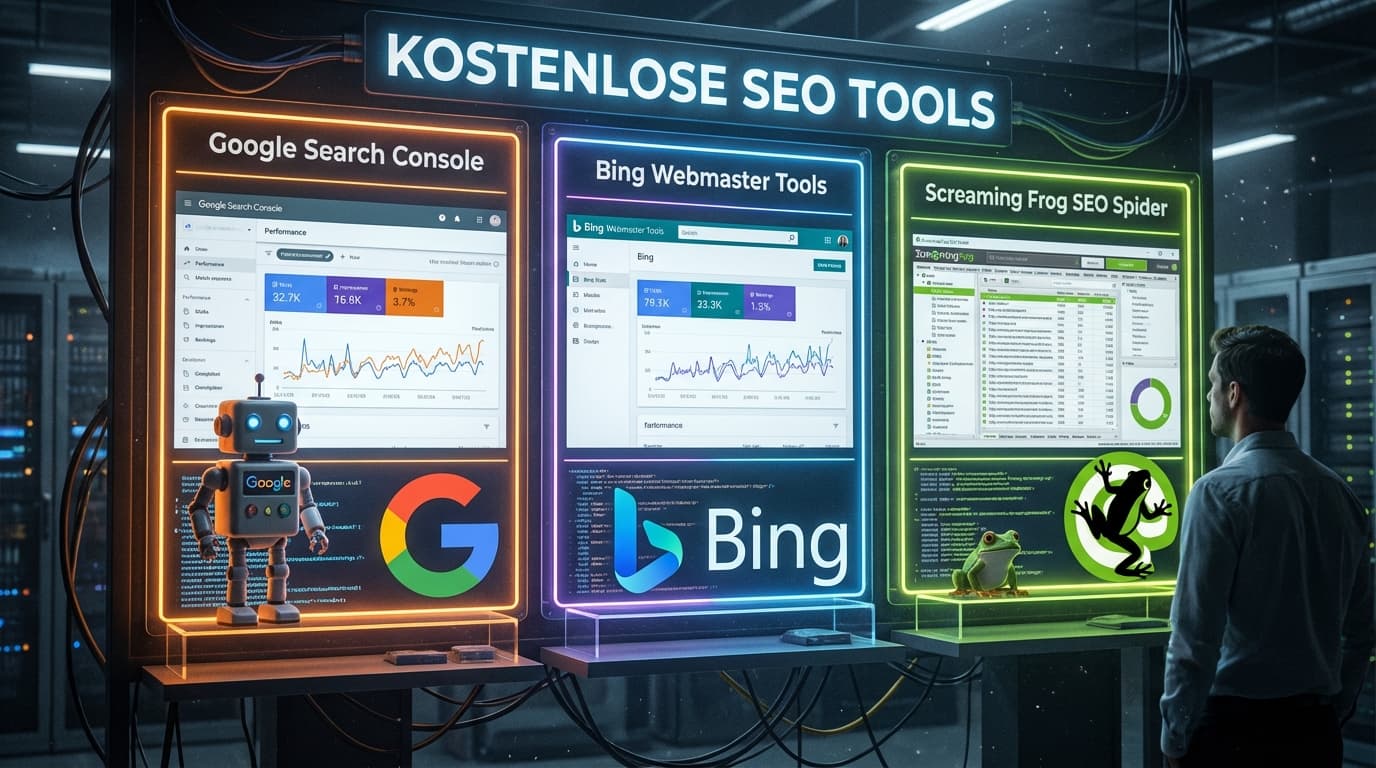
Google Search Console: Monitors your site’s performance in Google search. You see which queries bring traffic, your average SERP position, crawl errors, mobile usability, and which pages are indexed. It’s your dashboard for technical SEO basics and search visibility.
Google Keyword Planner: Originally for PPC, but still useful for keyword research. You get search volume ranges, keyword suggestions, and basic competition signals. Great for building your first keyword list or checking demand.
Google Trends: Tracks search interest over time. Spot seasonality, rising topics, and compare terms side by side. Useful for content strategy and timing.
Google Autocomplete: The fastest way to find long-tail keywords and user intent. Start typing a query, and Google suggests what people are searching for.
Where Free Tools Are Enough
Launching a New Blog or Small Business Site: You can identify high-potential keywords, monitor basic site health, and optimize pages using just these tools. Example: A local bakery can use Keyword Planner to find “best sourdough near me,” check performance in Search Console, and spot seasonal spikes with Trends.
Validating Content Ideas: Trends and Autocomplete help you see what’s rising and how people phrase questions—no need for expensive subscriptions.
Technical Health Checks: Search Console flags crawl errors, mobile issues, and indexing problems—enough for most non-enterprise sites.
If-Then:
If your SEO goals are local, niche, or early-stage, free tools are usually enough—at least until you need to scale or beat established competitors.
Where Free Tools Fail (and Why)
No Competitor Analysis: You can’t see what keywords your competitors rank for, their backlink profiles, or how their traffic stacks up. That’s a hard wall if you want to outrank them. (See our keyword gap analysis guide for what’s missing.)
Limited Keyword Depth: Keyword Planner gives broad ranges, not exact numbers, and misses many long-tail variations. Autocomplete is manual and shallow.
No Backlink Analysis: Search Console only shows links to your own site—not your competitors’, and not with much context.
No SERP Feature Tracking: You won’t know if your keywords trigger featured snippets, local packs, or other SERP features that can make or break your visibility.
Common rookie mistake: Relying only on Keyword Planner and missing out on hundreds of valuable long-tail keywords or content gaps competitors are already exploiting.
Real-World Scenarios
Free Tools Are Enough:
Launching a local service site (plumber, bakery, yoga studio).
Validating blog topics for a personal brand or portfolio.
You’ll Hit a Wall:
Trying to outrank established competitors in a national niche.
Building a content hub where keyword gap and backlink data are critical.
Bottom line: Free SEO tools are a great starting point and can get you surprisingly far—if your ambitions are realistic. But if you need to outpace real competition, or want to scale your SEO workflow, you’ll quickly need to explore paid tools or all-in-one SEO platforms.
All-in-One SEO Platforms: Capabilities, Limits, and Leading Solutions
All-in-one SEO platforms like Targos, Semrush and Ahrefs offer a single dashboard for keyword research, rank tracking, backlink analysis, site audits, and more. They’re time-savers for complex SEO workflows—but come with cost, complexity, and sometimes feature bloat. Choose these suites only if you need cross-functional SEO at scale.
Let’s be honest: at some point, juggling five different SEO tools becomes a mess. You lose track of which tab has the latest keyword data, or which audit flagged your broken links last week. That’s where all-in-one SEO platforms step in—promising to centralize your workflow, automate reporting, and (in theory) make your life easier. But does the promise hold up? Here’s what actually matters in practice.
What Does “All-in-One” Really Mean?
All-in-one SEO platforms bundle multiple core functions under one login:
Keyword research (search volume, keyword difficulty, long-tail keywords)
Rank tracking (SERP monitoring, position tracking, mobile/desktop split)
Backlink analysis (link building, competitor link profiles)
Site auditing (technical SEO, page speed, structured data, mobile usability)
Content optimization (on-page SEO, content length, semantic relevance)
Competitor analysis (domain overview, traffic analytics, keyword gap analysis)
If you’re running SEO for multiple domains, or reporting to clients, this integration saves hours. You can run a technical SEO audit, pull keyword suggestions, and benchmark competitors—without switching tools. For agencies or in-house teams with a broad content strategy, it’s a game changer.
When All-in-One Platforms Make Sense
You manage SEO across several sites or brands.
You need to automate reporting for stakeholders.
Your workflow includes technical, on-page, and off-page SEO.
You want to track search visibility across Google, Bing, ChatGPT, and Perplexity.
When They’re Overkill
You only need one or two functions (e.g., just keyword research).
Your budget is tight—these platforms aren’t cheap.
You’re a solo operator or small site owner with simple needs.
Common mistake: Many jump into a full-suite platform, only to use 10% of its features. That’s money wasted. If you’re unsure, start with a free trial and map your actual workflow first.
Specialized SEO Tools: When Point Solutions Beat Big Suites
Point Solutions: Why Less Can Be More in SEO
Specialized SEO tools—like a dedicated keyword research app or a single-purpose site crawler—often outperform all-in-one suites for targeted jobs. If you need speed, clarity, or a low learning curve, point solutions usually win. But they come with trade-offs: integration gaps and manual work.
Ever felt overwhelmed by the dashboard of a massive all-in-one SEO platform? You’re not alone. For many tasks, using a focused tool is like grabbing a sharp knife instead of hauling out the whole kitchen. Here’s what that looks like in practice.
Typical Point Solutions and Where They Shine
Keyword Research: WordStream’s Keyword Tool is a classic example. It does one thing—finds keyword opportunities, search volume, and competition—and does it fast. No fluff, no waiting for irrelevant modules to load.
Technical Auditing: Screaming Frog SEO Spider crawls your site for broken links, duplicate content, and technical SEO issues. It’s lightweight, runs locally, and gives you raw data you can act on without delay.
Content Optimization: SurferSEO analyzes top-ranking pages and spits out actionable on-page SEO suggestions—content length, semantic relevance, readability—without the bloat of a full suite.
When Point Solutions Beat Big Suites
Speed: Need to audit a site for broken links in under 10 minutes? Screaming Frog is faster than waiting for a cloud platform to finish syncing.
Cost: Only care about keyword research? Why pay for a full suite when a free (or cheap) tool covers your needs?
Learning Curve: Training a junior team member on a single-purpose tool takes hours, not weeks. Less risk of “analysis paralysis.”
If–Then Logic:
If you’re running a quick technical check or one-off keyword research, then a point solution is almost always faster and cheaper.
If your workflow requires seamless integration between keyword research, backlink analysis, and rank tracking, then an all-in-one platform may justify its price.
Integration & Workflow Trade-Offs
Here’s the catch: Specialized tools rarely “talk” to each other. You’ll be exporting CSVs, copy-pasting data, and stitching together insights manually. For small projects, that’s fine. But for ongoing campaigns or team-based SEO, it can get messy—fast.
Common mistake: Believing you can scale a multi-site, multi-channel SEO operation with a patchwork of point solutions. In reality, the manual overhead adds up and data silos become a real pain.
For a deeper dive into how to bridge these gaps, see our Keyword Gap Analysis guide.
Bottom Line
Point solutions aren’t a downgrade—they’re a tactical choice. Use them when you need speed, focus, or budget control. But be honest about your workflow: If you’re spending more time exporting and merging than actually optimizing, it’s time to rethink your stack.
Avoiding Common SEO Tool Pitfalls: Errors, Overkill, and False Promises
Even the best SEO tools can backfire if you fall for common traps—overpaying, chasing “magic” features, or forgetting the basics. Here’s what doesn’t work, why, and how to avoid it.
Let’s be honest: we’ve all been there. You sign up for a shiny new all-in-one SEO platform, expecting your rankings to skyrocket. Weeks later, you’re buried in dashboards, your budget’s shot, and your content still isn’t moving the needle. Frustrating? Absolutely. But it’s not the tool’s fault—it’s how we use (or misuse) them.
Classic Mistake #1: Overpaying for Features You Don’t Need
Scenario: You buy a top-tier subscription (think Semrush or Ahrefs) because “everyone says it’s the best.” But you only use keyword research and basic site auditing.
Why it happens: FOMO, unclear requirements, or sales pressure.
What doesn’t work: Assuming more features = better results. In practice, unused modules just drain your budget and clutter your workflow.
Fix: Audit your actual SEO workflow. If you’re not using advanced features like traffic analytics, backlink analysis, or AI-powered content optimization, downgrade. Free tools like Google Search Console and Google Keyword Planner often cover the essentials for smaller sites.
Classic Mistake #2: Believing in “Magic” Tool Promises
Scenario: A tool claims it can “guarantee” first-page rankings or automate your entire content strategy.
Why it happens: Slick marketing, wishful thinking, or lack of SEO experience.
What doesn’t work: Blind faith in automation. No tool can replace sound strategy, quality content, or real competitor analysis.
Fix: Use tools for what they do best—data gathering, keyword suggestions, rank tracking—not decision-making. Always validate tool insights with your own research and common sense. For a deeper look at strategic gaps, check our keyword gap analysis guide.
Classic Mistake #3: Ignoring SEO Fundamentals
Scenario: You obsess over technical SEO audits and backlink metrics, but your content is thin, outdated, or off-topic.
Why it happens: Tools make it easy to focus on what’s measurable, not what matters.
What doesn’t work: Treating tools as a substitute for quality content or a clear content strategy. No amount of site auditing will fix irrelevant or low-value pages.
Fix: Start with user intent, search visibility, and content relevance. Use tools to support—not dictate—your editorial process. If your rankings aren’t improving, revisit your on-page SEO basics and content optimization before blaming your stack.
If–Then Logic for Smarter Tool Use
If your tool budget exceeds your content budget, rethink priorities.
If a tool claims to “guarantee” rankings, walk away.
If you’re spending more time fixing tool errors than publishing, simplify your stack.
Bottom line: SEO tools are just that—tools. They amplify good strategy but can’t replace it. Avoid the hype, stay grounded in fundamentals, and use your stack as a lever, not a crutch. For more on balancing AI-driven tools with real-world SEO, see our article on ChatGPT SEO in 2026.
FAQs on SEO Tools: Real-World Questions, Straight Answers
Let’s get straight to the questions we all actually ask when picking or using SEO tools. Below, you’ll find clear, experience-backed answers—no sales talk, just what works (and what doesn’t) in real projects.
Do I need paid SEO tools to rank on Google or Bing?
Short answer: No, but paid tools can save time and unlock deeper insights.
If you’re just starting, Google’s free tools—Search Console, Keyword Planner, Trends, and Autocomplete—are enough for basic keyword research, site audits, and tracking.
Paid tools like Semrush or Ahrefs become essential when you need to scale, analyze competitors in detail, or automate reporting. They’re not magic bullets; they just make the process faster and more robust.
Common mistake: Buying expensive tools before you’ve outgrown the free ones. If you’re not maxing out what Google offers, you’re probably wasting money.
Which SEO tool is best for small businesses or solo founders?
Start with Google’s free suite. Step up to an all-in-one like Semrush only if you need more.
If your site is small and you’re doing everything yourself, Google Search Console and Keyword Planner cover the basics (rank tracking, keyword ideas, indexing issues).
When you need to analyze competitors, track more keywords, or manage content at scale, Semrush is the most comprehensive (almcorp.com). But its learning curve and cost only pay off if you’re running ongoing campaigns.
Don’t chase “best” by feature count. The best tool is the one you’ll actually use consistently.
What’s the fastest way to spot technical SEO issues?
Use Google Search Console for free, or a technical SEO audit tool for deeper crawls.
For most errors (indexing, mobile usability, page speed), Search Console highlights problems directly from Google’s perspective.
For larger or more complex sites, technical SEO tools like Screaming Frog, Sitebulb, or Semrush’s Site Audit crawl your site and flag broken links, duplicate content, slow pages, and structured data errors.
Don’t rely on a single crawl. Issues can appear after updates or new deployments. Set a recurring audit schedule.
How often should I audit my site with SEO tools?
At least quarterly for most, monthly if you update content or tech frequently.
If you’re publishing new content or making code changes weekly, run technical audits monthly.
For static or low-change sites, quarterly reviews are enough.
Always audit after major changes—site migrations, redesigns, or CMS updates. Missed errors here can tank rankings for months.
Mistake to avoid: Thinking “set and forget” works. SEO is ongoing; audits catch issues before they hit traffic.
Can I trust SEO tool data for traffic or keyword volumes?
Short version: Treat all numbers as estimates, not gospel.
Tools like Semrush and Ahrefs use their own clickstream and scraping methods, so numbers can differ greatly (see almcorp.com). Use them for trends and comparisons, not exact counts.
For your own site, Google Search Console is the source of truth for impressions, clicks, and ranking positions.
If you’re comparing competitors, focus on relative gaps and opportunities, not absolute traffic numbers.
Ready to Take Action? Choose Your SEO Tool Path
Step 1: Match Your Experience to the Right First Move
If you’re a beginner: Start with free, low-risk tools. Google Search Console and Google Keyword Planner are enough to learn the basics of keyword research, site auditing, and rank tracking. Don’t get distracted by feature overload.
Common mistake: Jumping into paid all-in-one SEO platforms before you understand core concepts. You’ll waste budget and likely feel overwhelmed.
If you’re unsure: Walk through our guide to Keyword Gap Analysis for a hands-on intro.
If you’re intermediate: You’ve outgrown Google’s basics, but don’t need enterprise features yet. Try a focused tool for your biggest bottleneck—maybe a dedicated rank tracker or a content optimization platform.
If you’re hitting a wall with keyword research: Look for tools that offer keyword difficulty and long-tail keyword suggestions.
Don’t: Buy a full suite unless you’re regularly running technical SEO audits, backlink analysis, and traffic analytics.
If you’re advanced: You know your workflow and what’s slowing you down. Now’s the time for all-in-one SEO platforms like Semrush or Ahrefs—especially if you need domain overview, competitor analysis, and position tracking at scale.
But: Even top-rated tools have blind spots. For example, Semrush’s AI-powered content optimizer works best for English queries and can miss nuance in other languages.
If you manage a team: Make sure your tool supports collaboration and doesn’t bottleneck on user seats.
Step 2: Don’t Let Tool Choice Stall Progress
If you’re stuck choosing, do a 7-day trial with two tools—compare how fast you can find and fix a real SEO issue.
Step 3: Get Personalized Help
Not sure which path fits your site or team? Get a Personalized SEO Tool Consultation No pressure, no jargon—just practical advice from someone who’s been in your shoes.
Bottom line: The only wrong move is waiting for “perfect.” Start with the tool that solves your next bottleneck. Iterate as your needs grow.